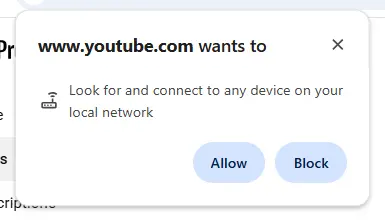
You’re about to cast a YouTube video to your smart TV. A small pop-up appears: "www.youtube.com wants to Look for and connect to any device on your local network." It seems harmless enough. You click "Allow" without a second thought, and moments later, the video is playing on the big screen. It's magic. But what did you actually agree to? You've just given a website, a window to the public internet, the keys to your private kingdom—your home network. This seemingly minor convenience is cracking open a door that security experts have spent decades trying to keep shut.
For years, the browser was a sandbox. Malicious code you encountered on a website was mostly trapped within that single browser tab. It couldn't easily see or interact with anything else on your computer, let alone your other devices. This new permission for browser local network access shatters that sandbox. When you grant this permission, the website can now send out feelers, effectively scanning your Wi-Fi network to see what else is connected. It can discover your printer, your smart speakers, your security cameras, your work laptop, and even your refrigerator. Each of these devices becomes a potential target.
This opens the floodgates for a terrifying new evolution of web-based malware threats. Imagine visiting a compromised website, perhaps one running a malicious advertisement. In the background, without your knowledge, that ad can start probing your network. It could find an old printer with a known, unpatched vulnerability and use it as a backdoor to install spyware across your entire network. Your personal files, banking details, and private conversations could all be exposed. The very concept of local network security is being fundamentally challenged, not by a complex virus you downloaded, but by a simple, thoughtless click on an "Allow" button. We are trading robust, time-tested security principles for the minor convenience of not having to grab a remote control. Is it worth it?


